Customer Overview
Parnells, one of our long-standing clients, is a prominent retailer operating across Europe, known for its extensive range of tyres, automotive parts, and related products. Over the years, we have partnered closely with them to deliver ongoing enhancements, automation, and reliable technical support. Their operations are supported by a suite of advanced integrations, including ChannelEngine, Amazon, Google Merchant Center, and eBay.
These solutions are designed with scalability and future readiness in mind, enabling Parnells to manage multi-channel sales efficiently while maintaining strong operational performance.
Standard Behavior in Odoo
In standard Odoo, all internal users typically can modify the Salesperson field on:
- Sales Orders
- Customer Invoices
While this may seem flexible, it creates serious operational risks in high-volume environments.
Challenges Faced by Parnells
Parnells identified critical issues in their workflow:
- Any internal user could change the salesperson, leading to loss of ownership clarity
- No proper accountability or tracking of responsibility
- Orders could be reassigned incorrectly
- Delays in order processing due to confusion in ownership
- Customers experienced delivery issues due to mismanagement
Even a small mistake in changing the salesperson could disrupt the entire order lifecycle.
Requirement from Parnells
They wanted a controlled and secure system where:
- The Salesperson field is restricted by default
- Only authorised users can edit it
- Unauthorised changes are completely blocked
- The system ensures accountability and data integrity
Numla’s Custom Solution
Salesperson Field Control
in Odoo
After requirement analysis, Numla implemented a role-based access control mechanism with the following features:
1. Salesperson Field is Read-Only by Default
Applied to both Sales Orders and Invoices
Across all views:
- Form View
- List View
- Kanban View
No user can modify it unless explicitly granted permission
2. Custom Access Right
We introduced a new permission:
- “Allow to edit Salesperson”
This can be assigned to specific users only
3. Granular User-Level Control
Only selected users can:
- Modify salesperson
- Reassign ownership
Ensures strict control and prevents accidental changes
Business Impact
- Eliminated incorrect order assignments
- Improved visibility and tracking of ownership
- Strengthened team accountability
- Faster and error-free processing
Result for Parnells
After deploying this feature in production:
- Accidental changes were eliminated
- Gained full control over order ownership and modifications
- Reduced customer issues caused by incorrect order handling
- Reduced order delays
- Strengthened internal accountability
The solution proved effective in real operations and aligned with Parnells’ need for control.
How to Use This Feature
This feature is designed to be simple and easy to manage.
Default Behaviour
The Salesperson field is Read-only for all users
Cannot be modified from:
- Form view
- List view
- Kanban view
- Any backend method
Enable Editing for Specific Users
If you want to allow certain users to edit the salesperson:
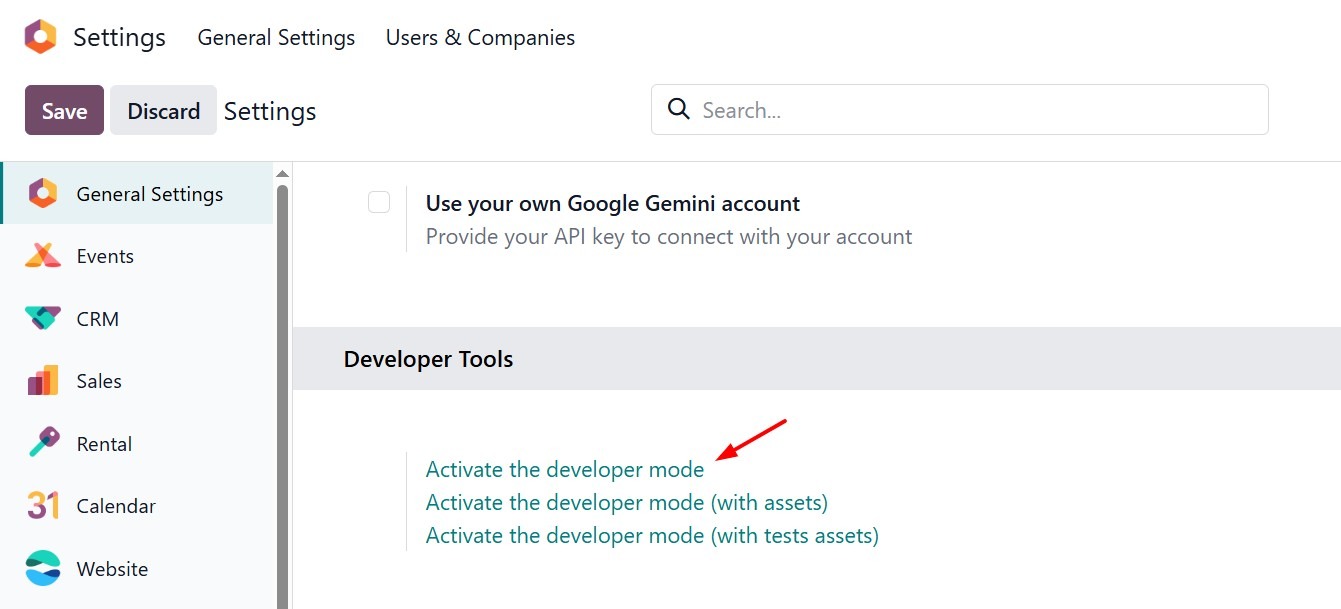
Step 1: Activate Developer Mode
- Go to Settings
- Enable Developer Mode
Step 2: Open User Settings
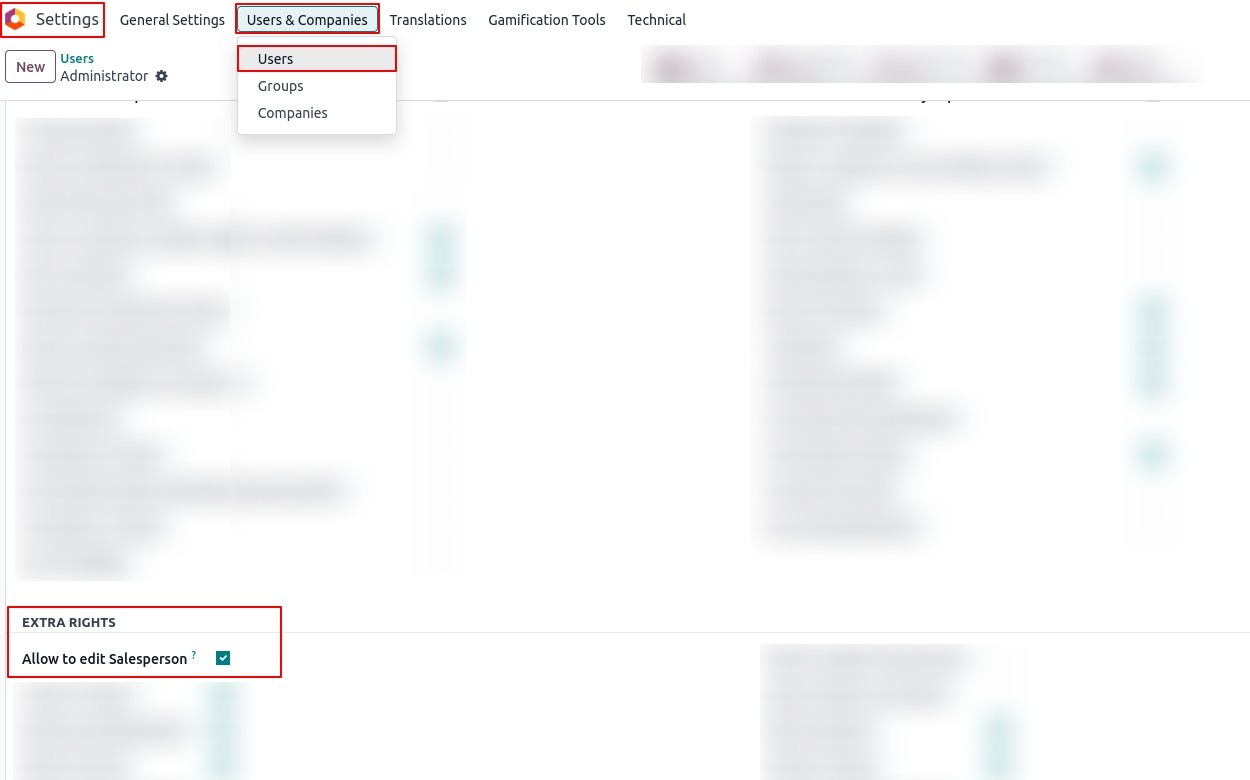
- Navigate to Settings → Users & Companies → Users
- Select the desired user
Step 3: Assign Custom Access Right
- In the Extra Rights section
- Enable “Allow to edit Salesperson”
Step 4: Save Changes
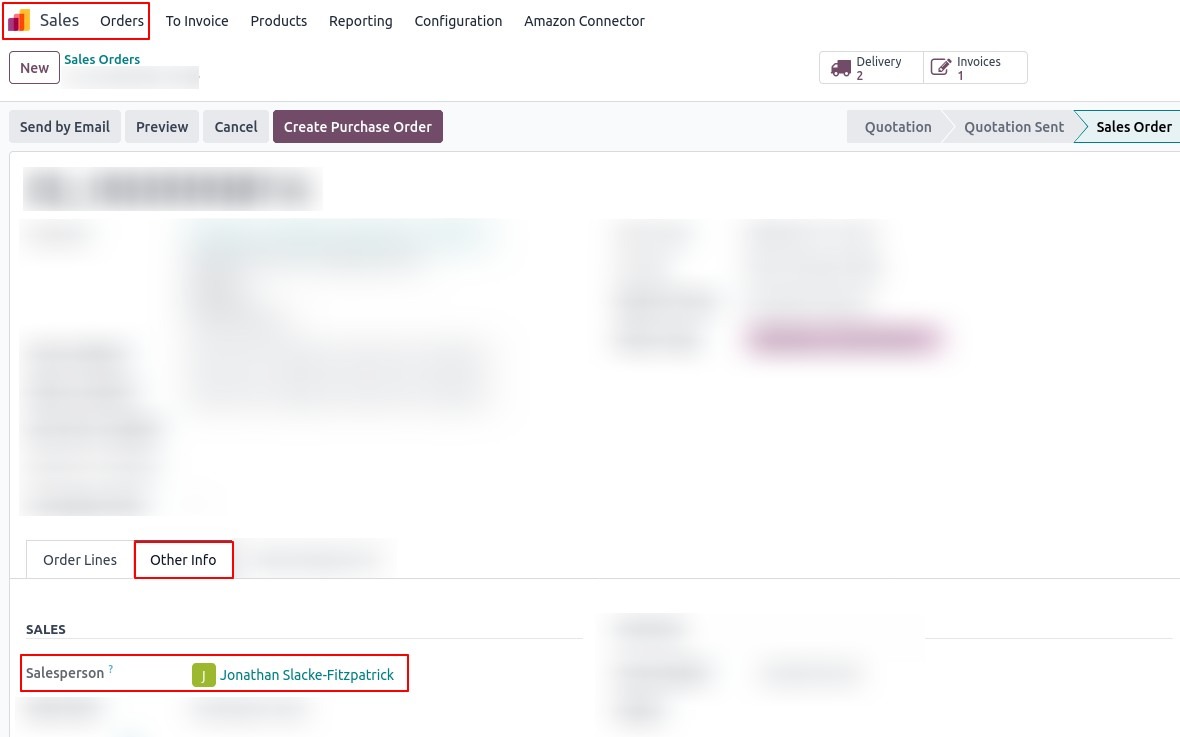
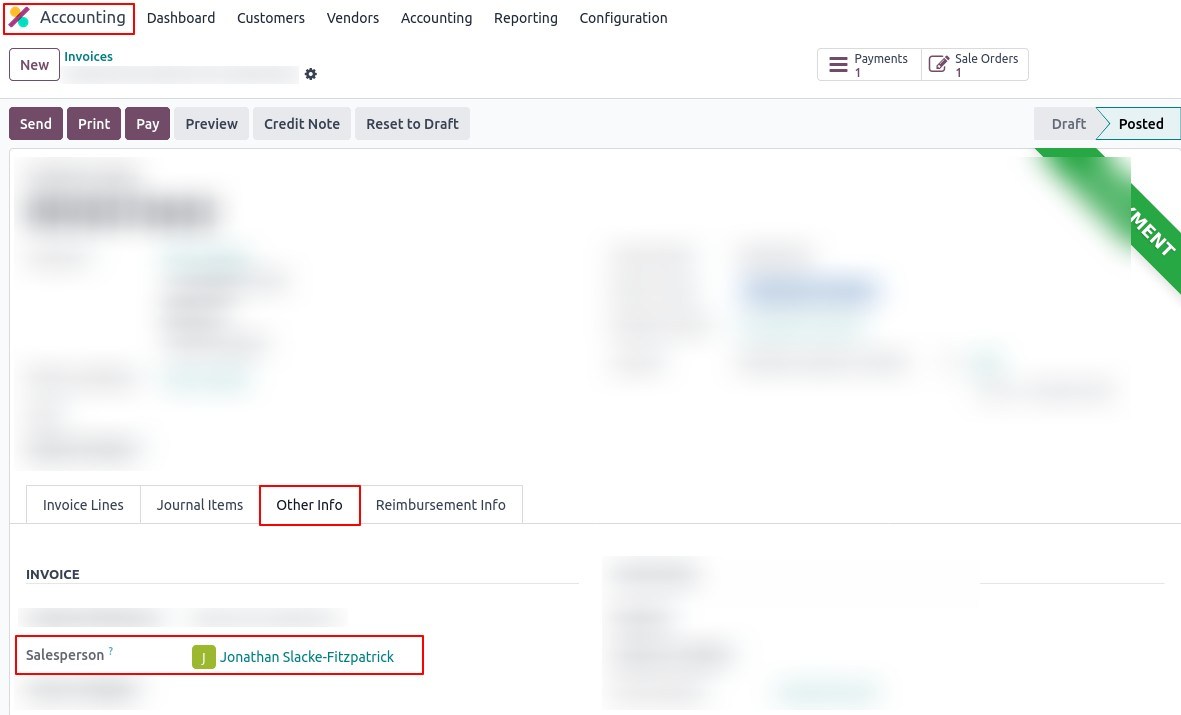
The selected user can now:
- Edit/change the salesperson
- Manage ownership of orders and invoices
Why This Feature Matters for Growing Businesses
As businesses scale, controlling access to critical data becomes essential.
Without This Control
- Critical fields can be modified by anyone
- Ownership becomes unclear
- Operational risks increase
- Customer experience is affected
With Controlled Access
- Access is restricted and intentional
- Ownership is clearly defined
- Human errors are minimised
- Workflows become more efficient and reliable
Final Thoughts
In ERP systems like Odoo, controlling who can modify critical data is essential for maintaining accuracy and accountability.
This implementation demonstrates how targeted access control can significantly improve operational reliability, especially in high-volume environments.