Fixing Inefficient Dispatch Operations
Managing deliveries manually or across disconnected systems often leads to delays, underutilised vehicles, and poor visibility into operations.
With the right configuration, Odoo allows you to centralise dispatch planning, optimise fleet usage, and streamline order deliveries without relying on external tools.
This guide walks through how dispatch management works in Odoo and how you can set it up effectively.
Why Dispatch Management Becomes a Bottleneck
Before jumping into the system, it’s important to understand where things usually break:
- Orders are not grouped efficiently
- Vehicles are assigned without capacity planning
- Dispatch teams lack visibility into loading and routing
- Warehouses and delivery operations are disconnected
Odoo addresses these issues by combining inventory, fleet, and delivery workflows into a single system.
Key Dispatch Capabilities in Odoo
Odoo enables structured dispatch planning through:
Intelligent Load Planning
Easily group orders by carrier, assign them to specific loading docks, and allocate the right vehicles based on capacity—ensuring every shipment is perfectly packed and ready to go.
Fleet Optimisation
Monitor and manage your in-house delivery fleet with real-time insights into vehicle capacity and availability, helping you maximise efficiency and reduce downtime.
How to Set Up Dispatch Management in Odoo
To get started, you need to configure a few core components:
- Install the Fleet module
- Define vehicle capacity (weight & volume)
- Configure vehicle models and categories
- Enable dispatch features in Inventory
- Set up delivery methods linked to vehicles
- Create dedicated dock locations
Configure Vehicles & Capacity
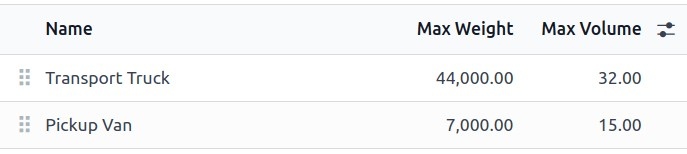
Define vehicle types (e.g., vans, trucks) and assign maximum weight and volume limits. These settings automatically apply to all vehicles within the same category—ensuring accurate load planning every time.
Configure Inventory & Dispatch Operations
Activate advanced logistics features in Inventory:
- Batch, Wave & Cluster picking for efficient order grouping
- Delivery Methods to assign vehicles as carriers
- Storage Locations to designate loading docks
Set Up Delivery Methods
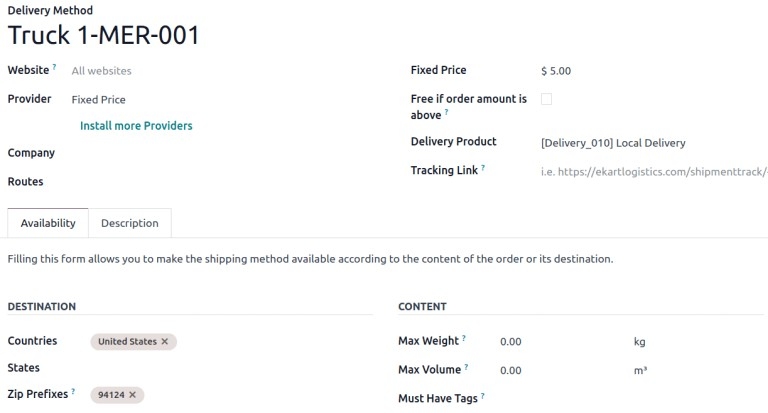
Turn each vehicle into a delivery carrier by creating customised delivery methods. Add details like vehicle identifiers and pricing rules, and even limit delivery zones based on location.
Set Up Dock & Warehouse
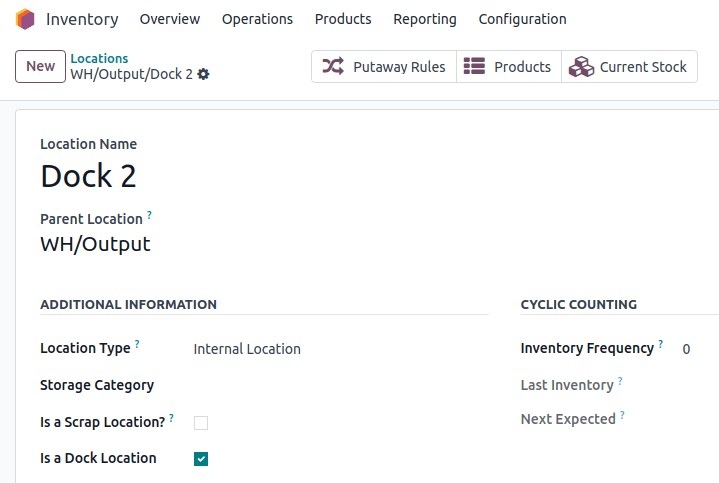
Assign specific warehouse locations as loading docks, ensuring smooth coordination between picking, packing, and dispatching.
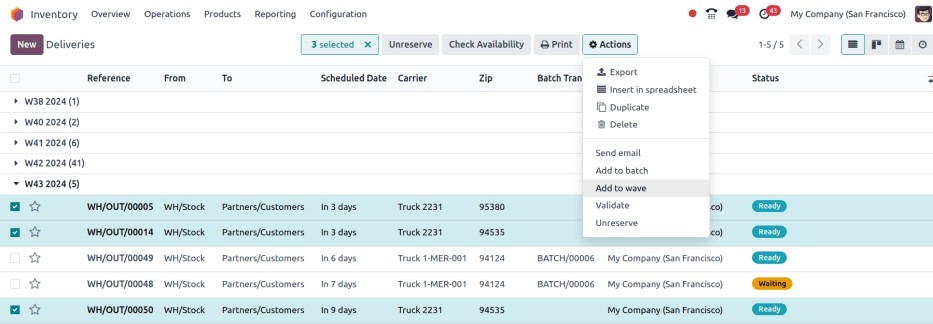
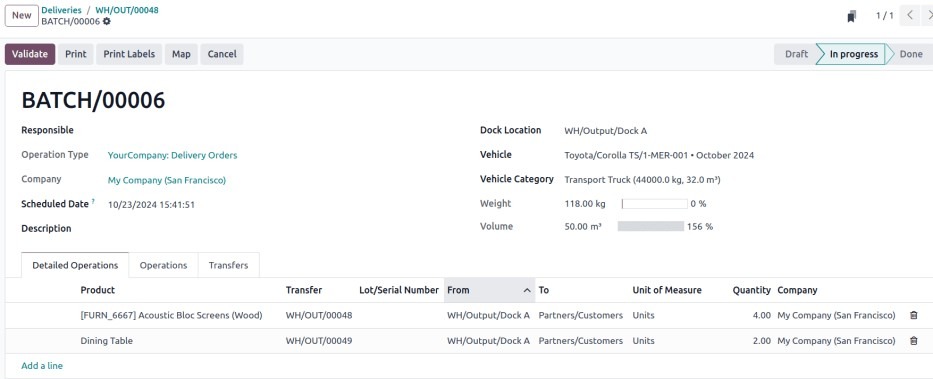
Build & Manage Shipments
- Group orders into batches or waves
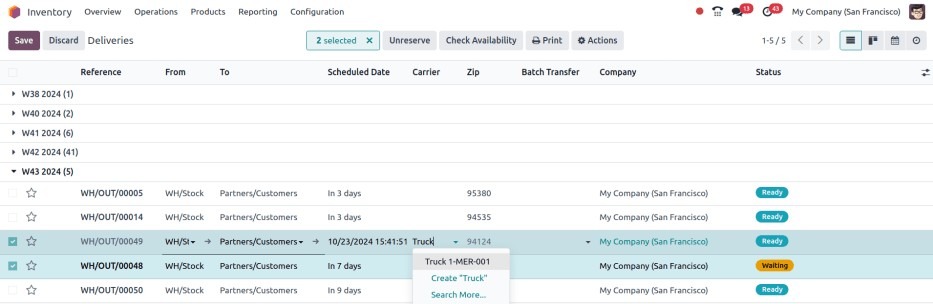
- Assign carriers in bulk
- Track shipping weight, volume, and destinations
- Monitor capacity usage to avoid overloads
Plan Routes
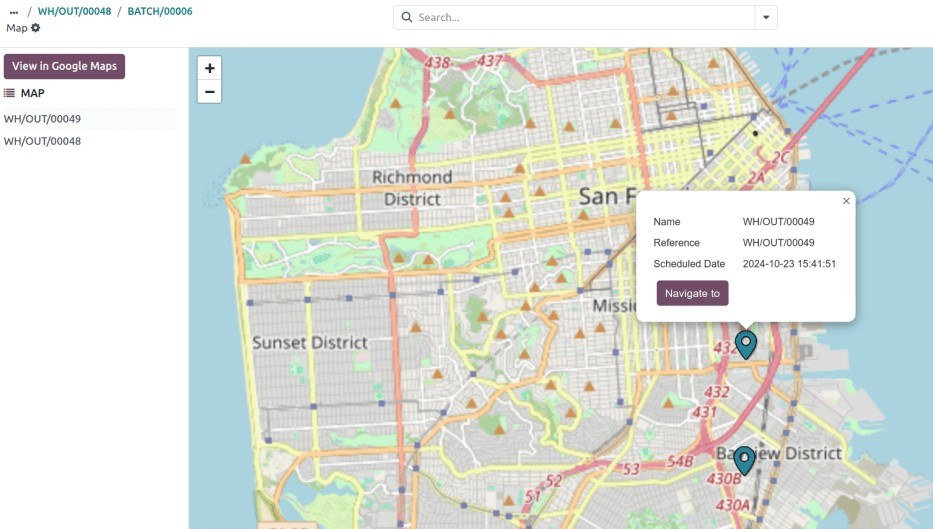
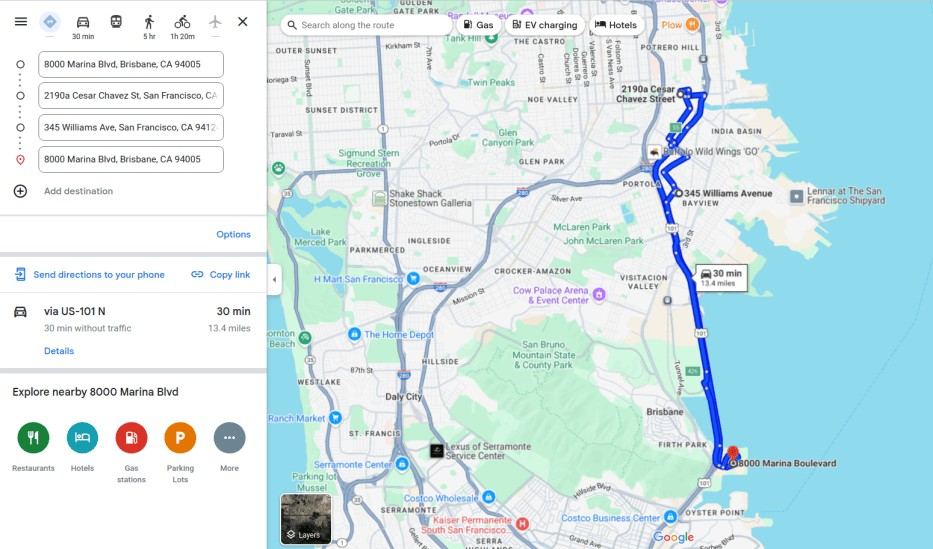
Visualise delivery routes directly on a map and generate optimised paths via Google Maps—helping drivers save time and fuel while improving delivery accuracy.
What You Gain from an Optimised Dispatch Process
When implemented correctly, dispatch management in Odoo leads to:
- faster delivery cycles
- better vehicle utilisation
- reduced operational overhead
- improved coordination between teams
Final Thought
Dispatch is not just about sending out deliveries. It is about planning, coordination, and execution across multiple moving parts.
Odoo provides the foundation, but the real impact comes from how well the system is configured and aligned with your operations.